Steam Deck Controller#
Remote control of HB robots is best done using the MAB-supplied Steam Deck controller with custom software and drivers. The controller makes it easy to start up, change gaits, and control the robot using the HB50 Remote application.
Network Setup#
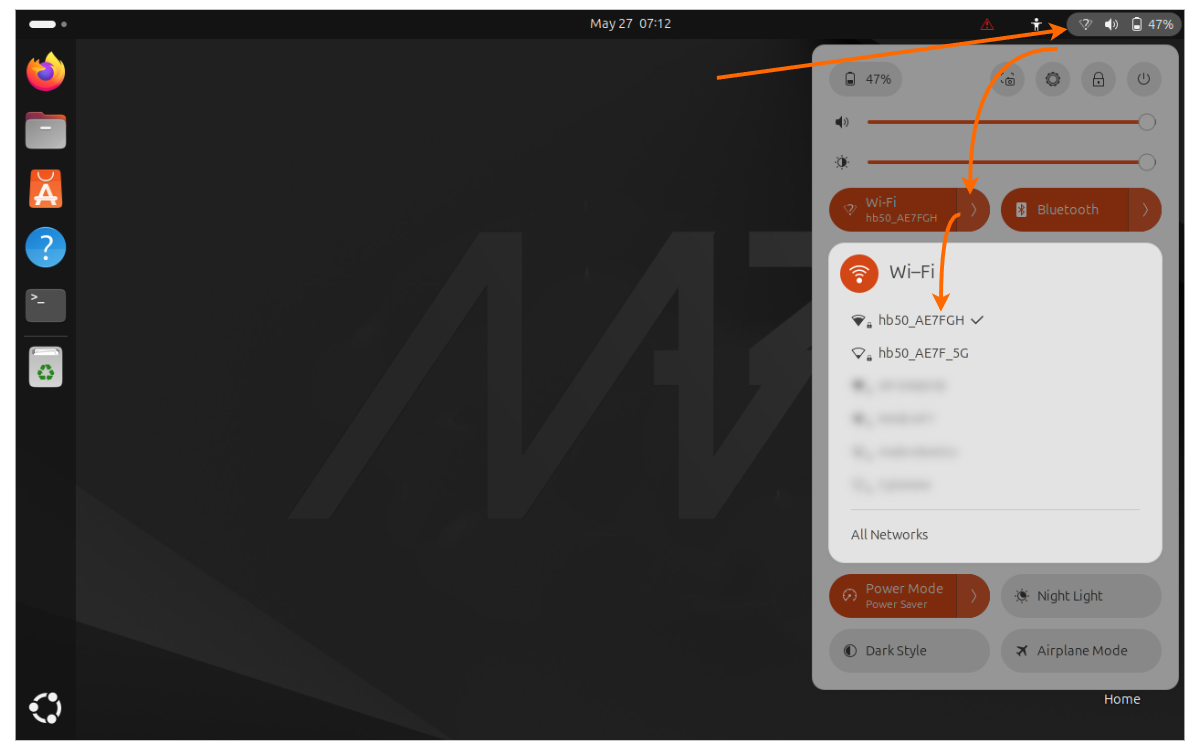
For robot Wi-Fi SSID and password details, see Setup.
Note
You can use Wi-Fi to connect to other networks (for example internet access). We recommend disabling automatic reconnection to avoid confusion when the robot’s network becomes unavailable.
Wired connection#
Connecting the Steam Deck to the robot is also possible via wired connection. This can be done through the device USB-C port and an Ethernet-to-USB dongle (not included). This setup can be extended to support IP traffic over other media such as optical fiber or long-range radios.
User Interface#
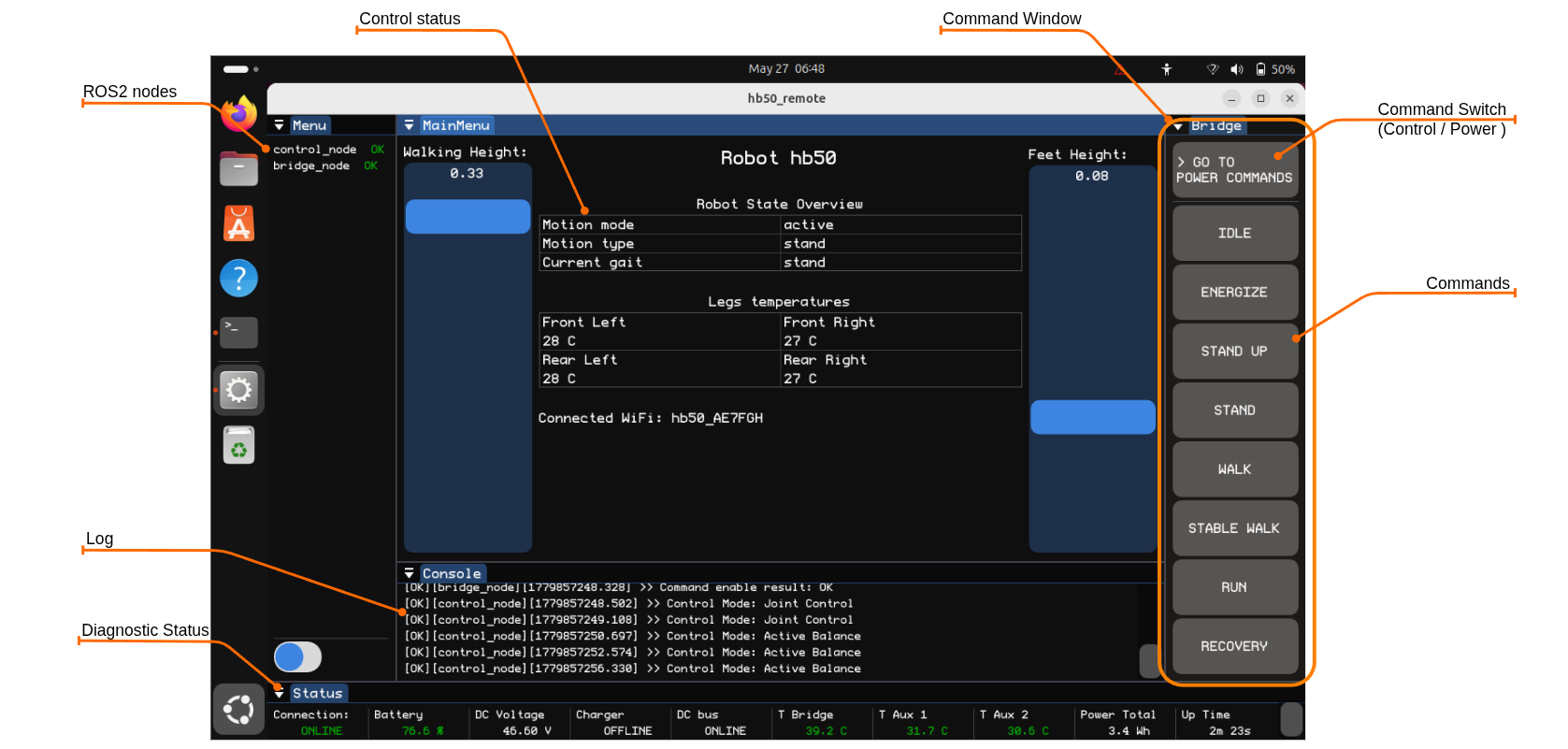
On the desktop, there is a “Honey Badger” application icon that starts the remote_node application for controlling Honey Badger robots. The application provides a quick diagnostic overview and enables typical robot operation tasks.
Controls Layout#
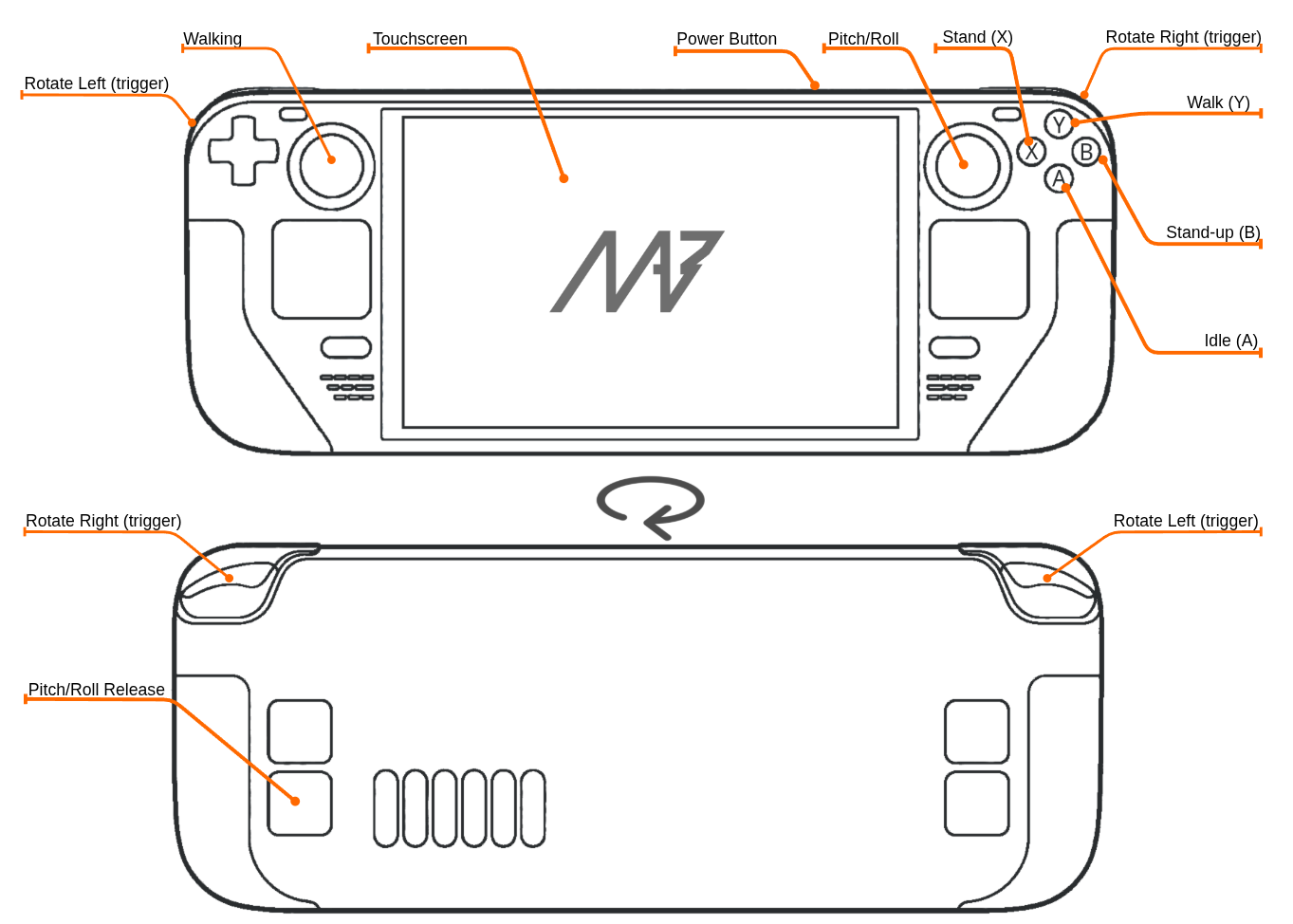
Alongside remote_node there is also another node teleop_node, which captures joystick button inputs and converts them to robot commands. Below is a list of supported commands and actions: