
Charger addon#
The charger addon allows charging battery that is integrated to PDS. It boots PDS automatically and detects charging state. It can be added to PDS without any changes in a saved configuration.
Parameter |
Value |
|---|---|
Input voltage |
12–54 V |
Charging current |
up to 10 A |
Input protection |
Transients |
Current consumption on standby |
7.8 mA |
Mass |
15 g |
Ambient Temperature (Operating) |
0–40 ℃ |
Ambient Temperature (Non-operating) |
0–60 ℃ |
Maximum Humidity (Operating) |
up to 95%, non-condensing at 40 ℃ |
Maximum Humidity (Non-operating) |
up to 95%, non-condensing at 60 ℃ |
Altitude (Operating) |
–400 m to 2000 m |
Warning
Charger addon does not have reverse polarity protection. Please do not connect the battery or charger with the wrong polarity.
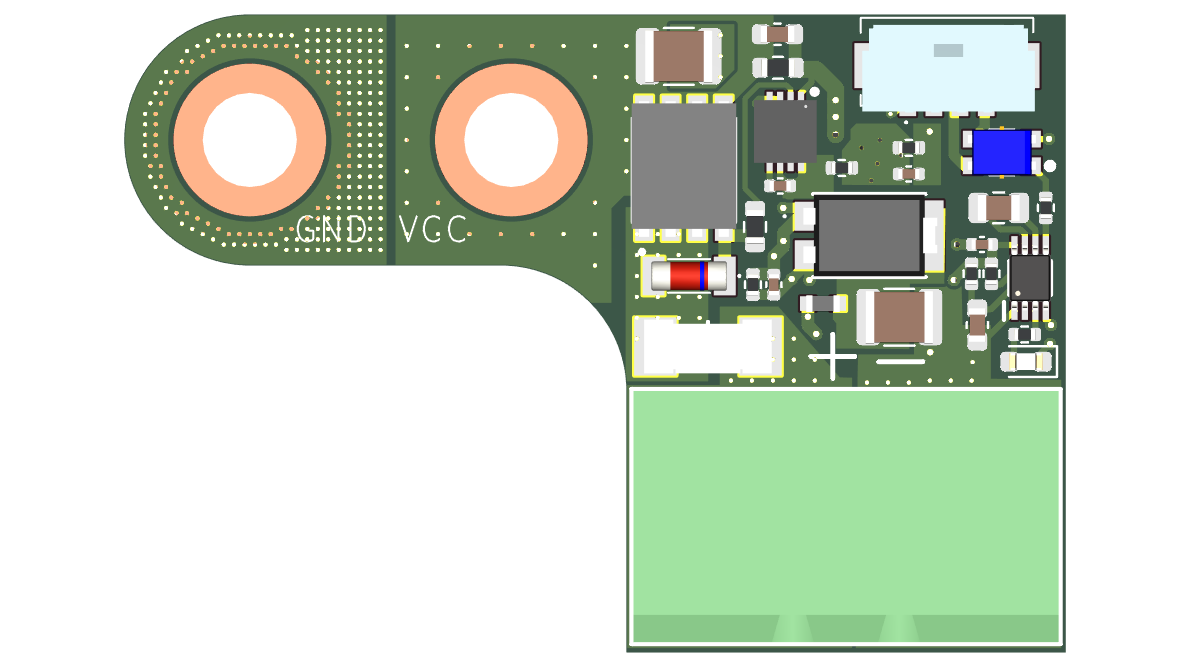
Fig. 31 Charger addon#
Addon is connected directly to VCC and GND power terminals to PDS power bus bar using M3 screws. To integrate it with PDS connect 4-pin MicroLock connector to Charger Addon port on PDS.
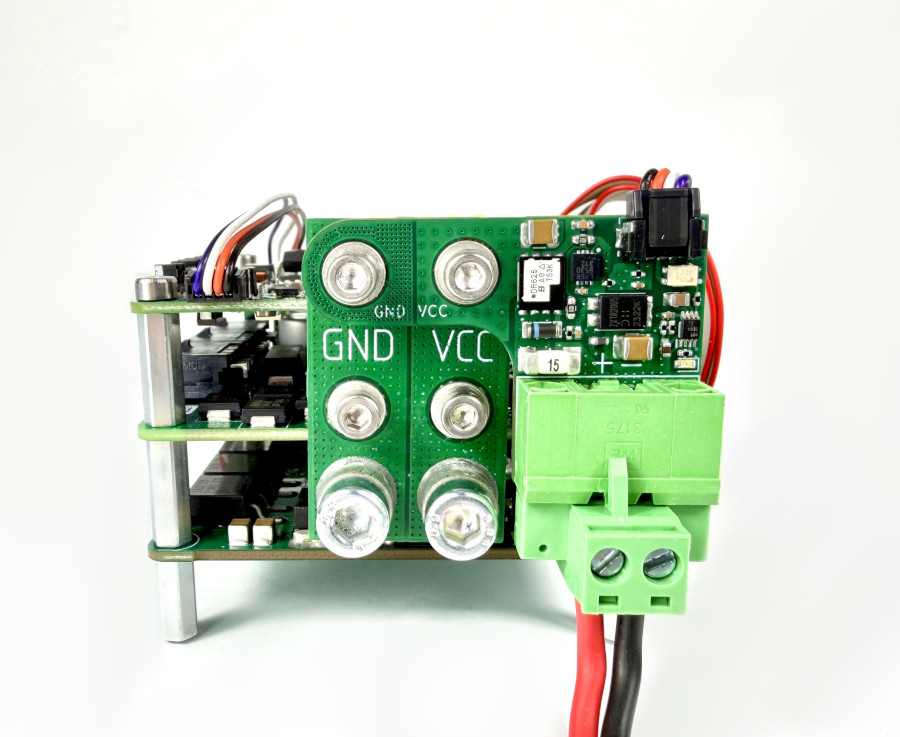
Fig. 32 Charger addon integrated with PDS#
States and transitions#
Connecting external power to charger addon turns it on. Each switching enables PDS and the state changes to “Charging working state”. Charging is detected and it is visible in PDS information/status. Disconnecting (or unplugging external power source from charger addon) changes state to “Working state” and PDS status indicates that charging is no longer active. To shut down whole system user can press and hold RGB power button. The rest of the states are described in States and transitions.